



















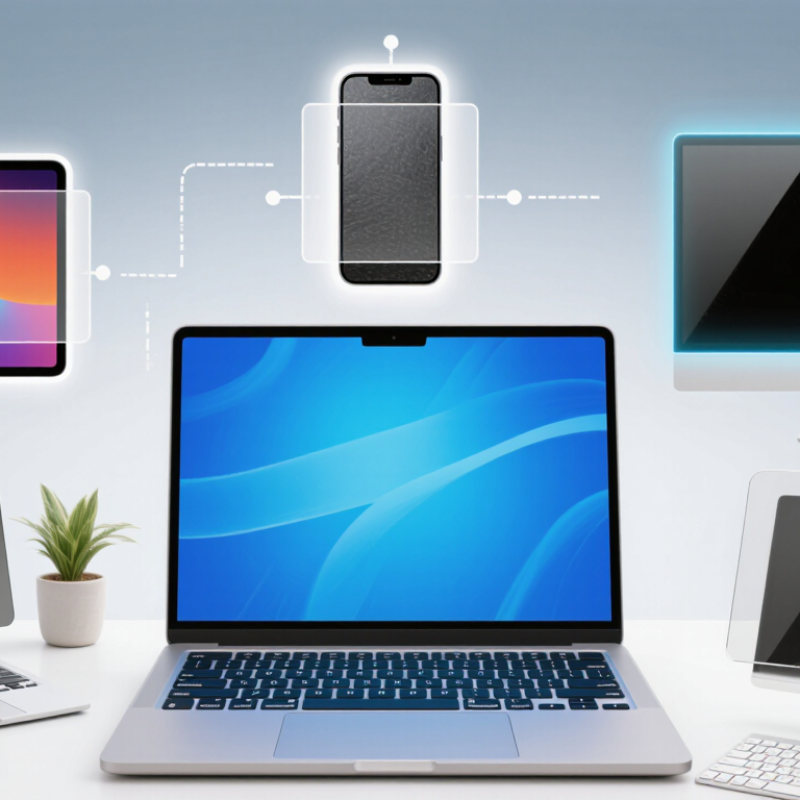
Choosing an Anti-Blue Light Screen Protector is less about finding one perfect product and more about matching its features to your screen and daily habits. Clear film protectors preserve color and sharpness, making them suitable for reading, browsing, and general office work. Matte versions reduce reflections from windows or overhead lamps, though they can make images look slightly grainy. The trade-offs matter.
Tempered-glass options add impact and scratch protection alongside a blue-light-filtering layer. Privacy filters narrow the viewing angle, which can help on crowded commutes but may dim the display. Removable filters offer flexibility across different tasks, yet clips or magnetic edges can feel awkward. Small details count: check your device model, touch response, screen brightness, and how the protector handles fingerprints before buying.
Blue-light filtering levels differ between brands, so look for clear product specifications rather than relying on broad claims. A protector may filter some blue wavelengths, but it should not be presented as a proven cure for digital eye strain or a substitute for good screen habits. Long periods of close viewing, glare, and infrequent blinking can all contribute to discomfort. Breaks and adjusted brightness still matter. This is easy to overlook.
The sections below compare the main protector types, their practical strengths, and their limitations. They also consider which features suit students, office workers, commuters, and people who share devices in bright rooms. There is no universal winner; even a premium protector can disappoint if it dulls colors or fits poorly.
Anti-blue-light screen protectors reduce exposure by filtering selected short-wavelength light before it reaches the eyes. Some use absorptive layers; others reflect part of the spectrum. The effect depends on the protector’s measured spectral transmission, not simply how yellow or dark it looks. Check for independent wavelength-range data. A tinted screen alone proves little.
The potential benefit is most relevant in the evening, when light can affect the body clock. Harvard Health Publishing reports that a controlled study found blue light suppressed melatonin about twice as long as green light and shifted circadian rhythms about twice as much. That finding concerns light exposure generally, not proof that a screen protector prevents sleep problems. CIE’s 2019 position statement also says ordinary screen blue light has not been shown to cause retinal damage. Useful distinction. A protector may lower some blue wavelengths, but it cannot remove all screen light or guarantee less eye strain. Glare, brightness, viewing distance, and late-night habits still matter. I find the labels confusing, too: products often make big claims, while clear test data can be hard to find.
How they reduce blue-light exposure—and which wavelengths are commonly called blue light.
How to read this chart: Blue light is commonly described as approximately 400–500 nm; wavelength boundaries vary by source. Clear selective coatings and multilayer filters reduce some wavelengths through absorption or reflection, while amber-tinted filters typically block a broader portion of blue light and alter screen colors. The chart shows wavelength bands, not measured protector performance: there is no single reduction rate that applies to every product.
Film-based anti-blue-light protectors usually work through a tinted layer, a surface coating, or both. Some coatings reflect a portion of short-wavelength blue-violet light, while filtering layers absorb selected wavelengths as light passes through the film. The exact effect varies by product. A darker-looking film does not automatically filter more effectively.
Check the maker’s wavelength or light-transmission data when available. It can show which parts of the spectrum the film reduces, rather than relying on a broad “blue-light blocking” label. In daily use, a warm tint may make a white screen look slightly yellow, especially beside an untreated display. Text can also seem dimmer. Small changes matter.
Fit matters, too. Dust trapped near the edge can create bubbles, and a poorly aligned film may feel distracting when scrolling. Clean the screen carefully, then compare brightness and color with the film installed. There is a trade-off. Filtering selected light does not eliminate screen exposure, and the visible tint is not a reliable measure of eye comfort. Claims can sound more certain than the available details justify, so examine the specifications and judge the screen in your own lighting.
Tempered-glass screen protectors with built-in blue-light filters combine surface protection with selective light filtering. A clear sheet of glass can feel smooth under a fingertip and help guard a display against everyday scratches. The filtering layer is integrated into the protector, rather than added as a separate film. Performance varies, though. Check whether the maker provides measured information about the wavelengths filtered, not just a broad “blue-light” claim.
That detail matters.
A slight warm cast may appear on white backgrounds, especially when reading a bright page in a dim room. Some protectors keep colors looking nearly unchanged; others make whites look creamier. This can affect photo editing or color-sensitive work.
A small trade-off.
Before buying, compare the protector’s stated light transmission and color impact, and make sure its size matches the device. Clean the screen carefully before fitting it: a trapped speck can create a tiny bubble that catches your eye every time you scroll. Tempered glass may reduce certain blue wavelengths, but it does not remove all blue light or replace comfortable viewing habits. Lowering screen brightness at night can still be useful. The evidence and product measurements are not always easy to compare, so claims deserve a little scrutiny.
Privacy screen protectors with blue-light reduction combine two separate features. A narrow viewing angle helps keep messages less visible from the side, while a specialized layer filters some blue wavelengths. The privacy effect is easy to notice on a bright train or in a shared office. Blue-light filtering is less visible, so check the product’s stated specifications rather than relying on appearance.
There are trade-offs. Privacy filters can make a screen look dimmer, especially at an angle, and may require a higher brightness setting. Matte protectors reduce reflections from windows and overhead lights. Their lightly textured surface can also soften fine text or images. You may notice it most on small fonts. Not always.
A practical check is to view the display straight on, then from the side, and compare brightness at your usual setting. With a matte option, inspect small text against a white background; some people find the grain distracting. I’d treat blue-light reduction as one feature, not a promise of better sleep or less eye strain. Screen breaks and comfortable brightness still matter, and protector performance varies by construction. A slightly imperfect fit can also create glare or visible edges, so check dimensions before choosing.
Clear absorptive films, reflective filters, matte films, and privacy filters make different trade-offs. Clear films usually preserve a bright, sharp image, but their blue-light reduction varies by product. Reflective coatings can reduce selected wavelengths, yet may add glare or a faint tint. Matte surfaces soften reflections and fingerprints, though fine text can look slightly grainy. Privacy films narrow viewing angles; that can dim the screen and shift colors. Trade-offs are real.
Check measured light transmission and color change, not just “blue-light blocking” claims. ASTM D1003 provides a method for measuring haze, while ASTM D3363 measures pencil hardness; neither alone predicts everyday clarity or scratch life. A 2023 Cochrane review of 17 randomized trials involving 619 adults found that blue-light-filtering spectacle lenses may not reduce short-term eye strain. Those findings concern lenses, not screen films, so they should not be treated as proof that protectors work—or fail. Small distinction, but an important one.
For durability, look for test details and inspect edges after installation; a hard coating cannot prevent lifting on a curved display. Compatibility matters too. Cutouts must leave the camera, speaker, and sensors unobstructed, while thicker glass may interfere with cases or fingerprint readers. Before buying, compare the protector’s exact device fit and check the screen under your usual lighting. A slight warm cast may seem minor online, then feel distracting against a white document.
| Protector Type | Typical Clarity | Typical Color Shift | Durability | Device Compatibility | Best Suited For |
|---|---|---|---|---|---|
| Clear blue-light-filtering film | Usually close to a standard clear film; optical performance varies by coating and material. | Often subtle, though some screens may appear slightly warmer. | Protects against light scratches; thin film offers limited impact protection. | Available in device-specific sizes and some universal-cut formats. Check camera, sensor, and edge alignment. | Users who want a low-profile protector with minimal visible tint. |
| Amber- or yellow-tinted film | Screen details remain visible, but the tint can make whites look less neutral. | Noticeable warm shift; colors may look less accurate. | Typically provides scratch protection, with impact resistance depending on film construction. | Often sold for specific screen dimensions; confirm fit and touchscreen compatibility before purchase. | Users who prioritize a stronger visible warm tint over color accuracy. |
| Matte anti-glare film with a blue-light filter | Matte texture can reduce reflections but may slightly soften the image or add a grainy appearance. | Ranges from minimal to noticeable, depending on the filter layer. | Helps resist everyday surface scratches; the film itself can wear or peel over time. | Common in laptop and tablet sizes. Confirm dimensions, display type, and whether the film covers the active screen area. | Users working in bright environments who also want reduced reflections. |
| Tempered-glass blue-light-filter protector | Often retains a clear, glass-like viewing surface; coatings may affect reflections or fingerprints. | Can be slight or visible, depending on the filter and glass tint. | Generally resists scratches better than thin film. Glass can crack under impact and does not guarantee screen protection. | Choose the exact device model. Thickness, curved edges, cases, fingerprint readers, and touch sensitivity may affect fit or use. | Users who want a rigid surface and added scratch resistance. |
| Privacy filter with blue-light filtering | Viewed straight on, the image may be clear; off-angle viewing is intentionally darkened. | May appear warmer or dimmer, depending on the filter design. | Reusable clip-on versions can be removed; adhesive versions may also provide basic scratch protection. | Must match the screen’s size and aspect ratio. Attachment style and webcam placement can affect compatibility. | Users who want reduced side-angle visibility along with a blue-light-filtering feature. |
Note: Blue-light filtering performance is product-specific and cannot be reliably inferred from a protector’s color or type alone. Check published spectral-transmission data, test conditions, screen dimensions, and device-specific fit before buying.
